Send a fax from an Android phone
You can send a fax from any Android phone in Chrome, without an app: open faxjet.net, pick a PDF or photos, type the fax number and pay $2.99 for up to 10 pages to the US or Canada with Google Pay or a card. The page shows the fax going out, gives you a receipt when it is delivered, and refunds it in full if it can’t be delivered.
Faxing from your iPhone? Get the app
How to fax from Android
- 01
Open faxjet.net in Chrome
Or any browser on your phone. Nothing to install and no account.
- 02
Pick the pages
Tap Choose files for a PDF from Files or Google Drive, photos from your gallery, or the camera to photograph each page.
- 03
Type the fax number
Pick the country, then type the number. The price shows before you pay.
- 04
Pay and follow it
Google Pay or a card. Keep the page open to watch it, or come back later with the tracking link.
At a glance
- Price, US and Canada
- $2.99 up to 10 pages, $4.99 up to 30
- Other countries
- From $3.99
- App needed
- No, Chrome is enough
- Payment
- Google Pay or a card
- Files
- PDF, JPG, PNG, HEIC, up to 30 pages
The sender on an Android phone
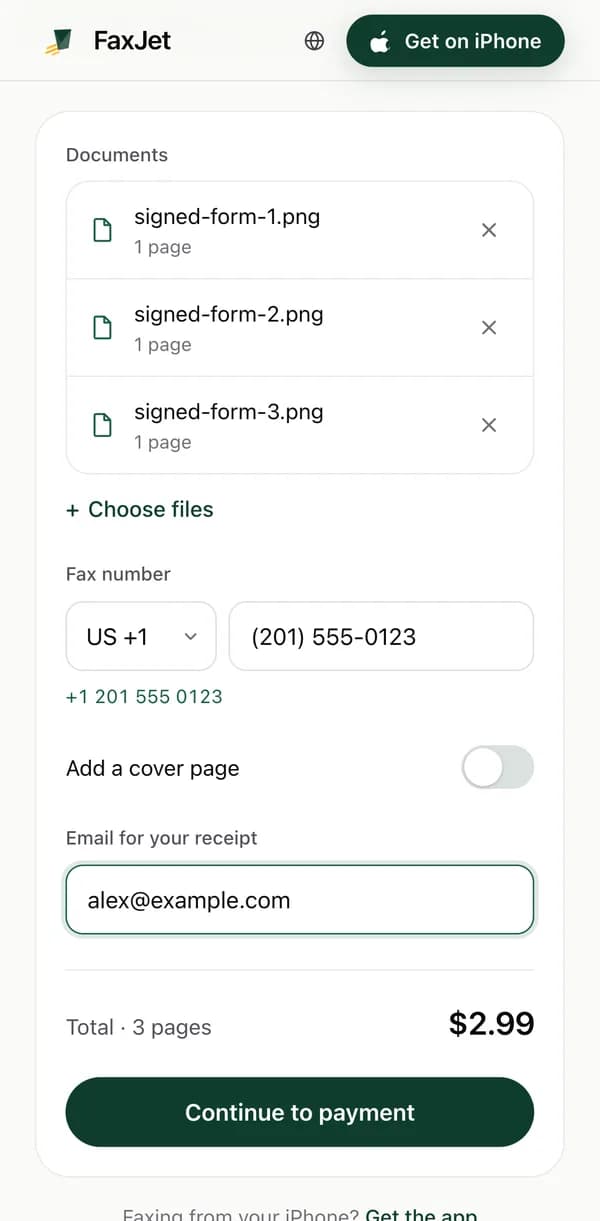
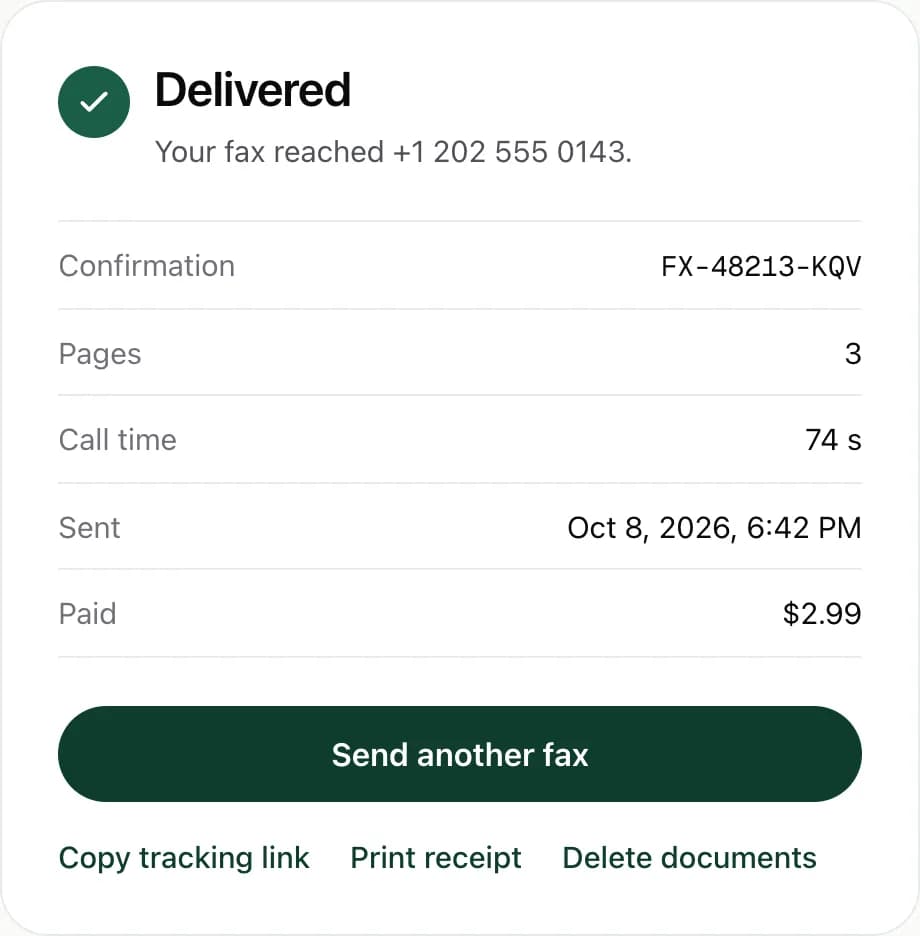
Getting the pages onto your phone
The sender takes whatever is on your phone. Where your document usually is:
- An email attachment: open it and save it to Downloads, then pick it from Files.
- Google Drive: pick it straight from Drive in the file chooser.
- Paper: scan it with Google Drive into a PDF, or take a photo of each page.
- A Word or Google Docs file: save it as a PDF first.
Photos that fax well
A fax is black and white and lower in detail than your screen, so contrast matters more than sharpness.
- Daylight or a bright room, no flash.
- The page flat on a dark table, the whole sheet in the frame.
- Hold the phone straight above the page, not at an angle.
- Dark ink for signatures; pencil fades on a fax.
Paying with Google Pay
The price is fixed before you pay: $2.99 for up to 10 pages or $4.99 for up to 30 to the US or Canada, from $3.99 to other countries, cover page included. Payment goes through Stripe, with Google Pay or a card; FaxJet never sees your card number.
If the fax can’t be delivered after the automatic redials, the full amount goes back to your card. The prices page has the details.
After you pay
The page shows each step: calling, sending page by page, delivered. A busy or unanswered line is called again on its own. When the receiving machine confirms the fax, you get a receipt with a confirmation number.
You can close the page; the tracking link opens the same status later. To fax abroad, see the international guide; for a cover page, the free cover sheet maker works on your phone too.
Questions
Is there a FaxJet app for Android?
No, the FaxJet app is for iPhone. On Android the website does the same sending, in Chrome.
Can I fax a photo of a document?
Yes. Lay the page flat in good light, fill the frame with the whole page, and take one photo per page. Each photo is one page of the fax.
How do I scan a document on Android?
Google Drive’s scan button turns pages into a PDF: tap the plus button, then Scan. Then pick that PDF from Drive in the sender.
Can I fax a Word or Google Docs file?
Save it as a PDF first, from Google Docs or Word, then pick the PDF.
Does the fax come from my phone number?
No. It is sent from FaxJet’s fax line, so put your name and phone or email on the cover page if you want a reply.
Can I receive a fax on Android?
Not with FaxJet: the website only sends, and receiving is in the iPhone app. If you need one document, ask the sender to email it.